

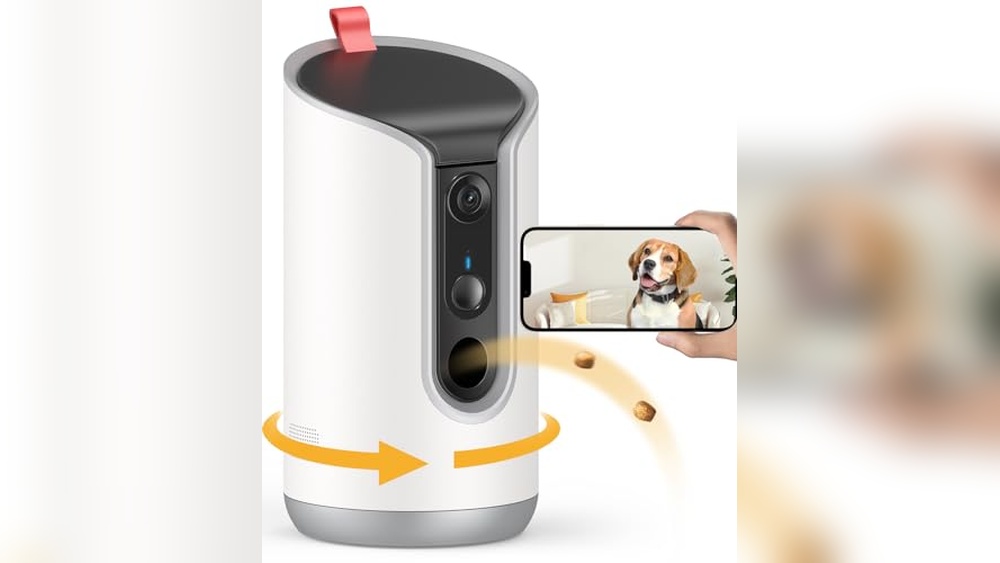
Image note: the featured image illustrates a treat-camera setup; the two product cards below show the recommended Furbo models.
Affiliate disclosure: As an Amazon Associate I earn from qualifying purchases. Buying through our links may earn us a commission at no extra cost to you.
Quick choice: start with your room and plan needs
For a main living room: compare the Furbo 360° Dog Camera core-feature listing. For a smaller space and occasional treat tossing: compare the Furbo Mini 360° core-feature listing.
Check the exact variant before paying. A subscription-required camera offer is different from a core-feature offer. A camera helps you check in; it does not replace a sitter, a walk or veterinary care.
Check Furbo 360° details on AmazonCheck Furbo Mini 360° details on AmazonThe best pet camera with a treat dispenser for dogs is the one that fits your dog’s routine, your room and the features you will actually use. A large treat reservoir is useful if you want more flexibility between refills. A smaller camera can suit a compact room, but you must be comfortable with more frequent checks and refilling. Subscription terms, treat compatibility and reliable internet matter as much as the image on the box.
This guide focuses on remotely tossing a small reward while checking on a dog. It is separate from choosing a general indoor security camera or an automatic meal feeder. You will find two researched options, the main tradeoffs, a practical setup process and questions to ask before ordering. We do not claim hands-on testing or promise that a device will keep every dog calm.
How we selected these options
We checked the exact Amazon listing identifiers against Furbo’s manufacturer comparison information and help documentation. The two recommended links point to core-feature variants. Subscription-required purchase variants are considered separately. We excluded products whose current specifications and plan requirements could not be adequately verified.
Our recommendations are based on fit for a particular use case, not a measured reliability ranking. We have not tested treat jam rates, app speed, alert accuracy or performance in your home. Product variants and terms can change, so confirm the selected model and offer on the checkout page. This article deliberately avoids current prices, star ratings and claims of guaranteed protection.
| Choice | Useful distinction | Best fit | Main limitation |
|---|---|---|---|
| Furbo 360° Dog Camera | Manufacturer lists 1080p rotating view and a reservoir for up to 100 treats | Main room; owners who want more refill flexibility | Larger unit; advanced history and alerts involve paid features |
| Furbo Mini 360° | Manufacturer lists 2K rotating view and Lite Treat Toss for up to 10 small treats | Small space; occasional remote rewards | Small treat supply requires closer refill planning |

Furbo 360° Dog Camera: a main-room option
The core-feature variant is our practical starting point for a living room where treat capacity matters more than a compact footprint. The linked ASIN is B09GDQZLD1.
Why choose it: more room for treats than the Mini 360°. Why pause: a rotating camera still needs careful positioning, and recorded history is not the same as live viewing.
View Furbo 360° core-feature listingChoose this option when the camera can sit on a stable surface with a clear route for treats to land. Think about the location before the hardware: the dog should have space to approach without climbing onto furniture, and the cable should be kept out of reach. A corner hidden behind a plant may look tidy but can make it harder to observe the dog or dispense a reward where you intended.
The larger reservoir is not a reason to offer more food. Decide how many treats belong in the daily routine and leave the remainder unused. If several household members have access to the app, agree who will toss rewards so the dog does not receive repeated extras. For a home with two dogs, watch for competition before using any shared treat station remotely.
A core-feature purchase can make sense if your main goal is a brief live check-in and a reward. If you need recorded events when you cannot look at your phone, examine the paid service separately. Do not buy an offer simply because the device price looks lower: compare the cost and obligations of the whole package.
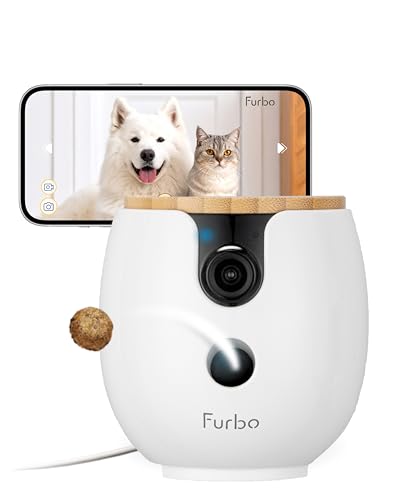
Furbo Mini 360°: compact, occasional treat tossing
The Mini 360° core-feature variant is the smaller-space choice. The linked ASIN is B0F8LNT9H7. Confirm “Mini 360°” rather than the non-rotating Mini if treat tossing is essential.
Why choose it: a compact station for occasional rewards. Why pause: its limited treat supply is a meaningful tradeoff, even if the higher stated resolution attracts you.
View Furbo Mini 360° core-feature listingPick the Mini 360° when you have a defined viewing area and do not need a large treat supply. A dog bed, a nearby floor area and a stable shelf can be easier to plan around than a whole open-plan home. Place the camera where you can see how the dog reacts to a toss, rather than where the unit is least visible to people.
Refill planning is part of ownership. If a small reservoir runs empty while you are away, the camera may still be useful for checking in, but it cannot deliver the reward you expected. Make checking the treat supply part of your departure routine. Avoid assuming a higher video resolution compensates for a poorly chosen position, cluttered room or weak connection.
Model names deserve special care here. Furbo’s comparison information distinguishes the Mini 360° with Lite Treat Toss from the non-rotating Mini without treat tossing. Check the wording on the selected variant, order summary and seller listing. A familiar brand name alone does not prove that the model includes the feature you came to buy.
Subscription-required versus core-feature offers
The linked Amazon pages identify these two ASINs as core-feature, no-ongoing-cost offers. Other variants in the same product family may require a subscription to activate. This is why a blanket statement that “Furbo needs no subscription” is misleading. The purchase offer and the particular features you want must both be checked.
Before placing the order, read what is included without a plan, what requires a paid service and whether an introductory offer renews automatically. Save the terms that apply to your order. If the listing changes to a subscription-required variant while you select a color or model, reassess the entire purchase rather than assuming the original terms still apply.
For any connected camera, make a simple cost sheet: hardware, optional or required service, compatible treats and any accessories you actually need. Compare the total over a period you expect to use it. We do not quote a monthly fee here because packages, billing intervals and promotional offers can change. The lower upfront price is not automatically the better value.
Also check what happens after a trial or cancellation. Ask whether live viewing, audio and treat tossing remain available under the specific offer, and whether recordings are retained or removed. If an essential feature is unclear, get the answer from the seller or manufacturer before buying. A confusing plan is a valid reason to delay the purchase.
Treat tossing is different from feeding a meal
A treat camera is intended for an occasional reward, not dependable portioning of a complete meal. Do not use a small treat reservoir as your dog’s primary food supply. If the dog needs a scheduled meal while you are out, arrange an appropriate feeding routine or caregiver. A camera can show a scene, but it cannot confirm that every nutritional need has been met.
Choose treats according to the exact model’s instructions and your dog’s dietary needs. A piece that fits the mechanism still may not be suitable for the dog. Avoid experimenting with sticky, crumbly or unusually shaped food unless the manual explicitly supports it. Check a small amount while you are present, and observe both dispensing and eating before relying on remote use.
For dogs with a prescribed diet, food sensitivities or a history of swallowing treats too quickly, discuss suitable rewards with your veterinarian. Keep remote rewards within the feeding plan. A camera does not make a food safe, and a dispensing feature is not a reason to add new foods. Stop using it if your dog struggles to swallow or becomes distressed.
Check Wi-Fi, power and your actual viewing area
Read the wireless requirement for the exact model before you buy. Do not assume every camera supports both Wi-Fi bands. Do not confuse 5 GHz Wi-Fi with a phone’s 5G mobile connection. They describe different connections. Your home router, camera requirements and phone’s remote internet access all have roles in whether you can check in.
Test the proposed location with the camera installed before leaving the dog alone. A phone showing strong Wi-Fi elsewhere in the home does not prove the shelf you selected is suitable. Check the live view, audio and a supervised toss from another internet connection. This gives you a more realistic check of remote access than testing only while your phone shares the home network.
Plan for a power or internet interruption. Keep the usual walking, feeding and care arrangements in place even when the camera is working well. If you cannot open the stream, do not immediately assume something has happened to the dog; connection and app problems are possible. Equally, a recent image does not replace a person who can help when the dog needs attention.
Rotation does not provide a simultaneous view of every corner. Furniture, walls and the dog’s movement can still create blind spots. Choose a position based on the places your dog actually rests and walks. A second viewing area may be more useful than repeatedly steering one camera, but buy additional equipment only after testing the first location.
Introduce the camera while you are home
Start with the unit in place but without using its speaker or tossing function. Let your dog notice it at their own pace. Secure the power cable and check that the camera cannot easily be knocked down. If the dog chews household objects, treat accessibility as a serious placement problem rather than trusting a product description.
Next, try one supervised toss with a suitable treat. Watch the landing area and your dog’s response. A startled dog may need more time, and a dog that rushes or guards the dispenser may not be a good candidate for unattended rewards. Keep the experience brief. Do not repeatedly activate the mechanism to force interest.
Try the speaker separately at a comfortable volume. Some dogs may approach a familiar voice; others may search for the person or become more alert. Your dog’s actual response should guide whether you use two-way audio. If it increases agitation, turn it off and use the camera for observation while seeking appropriate behavior advice.
After several calm supervised sessions, test a short absence with a suitable care plan. Review what you can see and whether the interaction is useful. A treat camera is optional enrichment and a way to check in, not a treatment for separation anxiety. Persistent distress, escape attempts or injury risks require professional assessment and a practical human support plan.
Privacy and shared access
An indoor camera can record household members, visitors and private conversations. Tell people where it is and what it does. Avoid bedrooms or other sensitive areas when a less intrusive location can show the dog. Think about the viewing angle, not just the camera’s position: a rotating lens may reveal more of the home than you first intended.
Use a unique account password, review the app’s current security options and restrict access to people who need it. If you stop sharing a household or change caregivers, review invited users. Keep the app and camera software updated using the manufacturer’s supported process. Do not share account credentials just to let someone watch a cute clip.
Read the recording and deletion settings before enabling history. Decide whether you need stored video and how long you want to retain it. If you sell or give away the camera, follow the manufacturer’s reset and account-removal instructions. These steps matter even if you only bought the device for occasional treats.
Cleaning and routine checks
Follow the manual when removing or cleaning the treat container. Unplug the device when instructed and keep water away from components that are not designed to be washed. Allow removable parts to dry as directed before adding food. Do not assume the entire unit is washable because a container can be removed.
Inspect the reservoir for crumbs and old treats, and check the cable and placement regularly. If a toss fails, use the manufacturer’s troubleshooting steps rather than reaching into a powered mechanism. Repeated jams are a reason to stop remote dispensing until the cause is understood. A useful check-in is better than continuing a feature you cannot trust.
When a different solution is the better purchase
If you only want to see whether your dog is resting, compare an ordinary indoor camera before paying for a dispenser. If you need someone to walk or feed the dog, put that care arrangement first. If your dog cannot safely receive treats without supervision, use observation alone or arrange a person to be present.
For a broader checklist, read our indoor pet camera guide covering privacy and Wi-Fi. If avoiding recurring fees is your main concern, also review our camera guide focused on subscription considerations. For the surrounding resting area, our furniture-style dog crate fit guide explains why usable space matters.
Frequently asked questions
Can a treat camera cure separation anxiety?
No. Do not buy it as a treatment. Use it to observe your dog, and seek professional help for ongoing distress. Remote voice or rewards may not suit every dog.
Do both recommended cameras require a subscription?
The linked ASINs are core-feature offers. Paid extras and subscription-required purchase variants also exist. Confirm the offer selected at checkout.
Is a higher resolution always better?
It can help with detail, but placement, lighting, connection quality and the behavior you need to observe also matter. Resolution alone does not establish reliability.
Can I put my dog’s normal food in the dispenser?
Only if the exact model’s instructions support its size and type, and it fits your dog’s feeding plan. Do not replace meals with remote treats.
Does the Furbo Mini have treat tossing?
The Mini 360° does; the non-rotating Mini is a different model. Check the full product name rather than assuming all Mini versions toss treats.
Can two dogs share one dispenser?
Only consider it after supervised observation. Food competition or different dietary needs can make unattended shared rewards unsuitable.
What should I check before leaving home?
Confirm power, remote access, safe placement and treat supply. Keep a caregiver or other care arrangement available when your dog needs one.
Final choice
Start with the Furbo 360° core-feature variant for a main room and more refill flexibility. Choose the Mini 360° core-feature variant for a compact area and occasional rewards. Check the plan wording, test your dog’s response and keep normal care arrangements in place.
Compare Furbo 360° on AmazonCompare Furbo Mini 360° on AmazonSources and editorial notes
Product research checked October 13, 2026: Furbo camera comparison, Furbo Subscribe & Save help, and the exact Amazon listings linked above. Manufacturer feature descriptions are not independent performance testing. General buying and setup guidance is editorial advice; use the supplied manual for model-specific instructions.